UlazAI - KI-Bild- & Video-Tools
Leitfaden zu Free-Kontingent-Limits
Grenzen des kostenlosen KI-Videogenerators im Jahr 2026: Runway vs. Kling vs. Luma vs. Pika
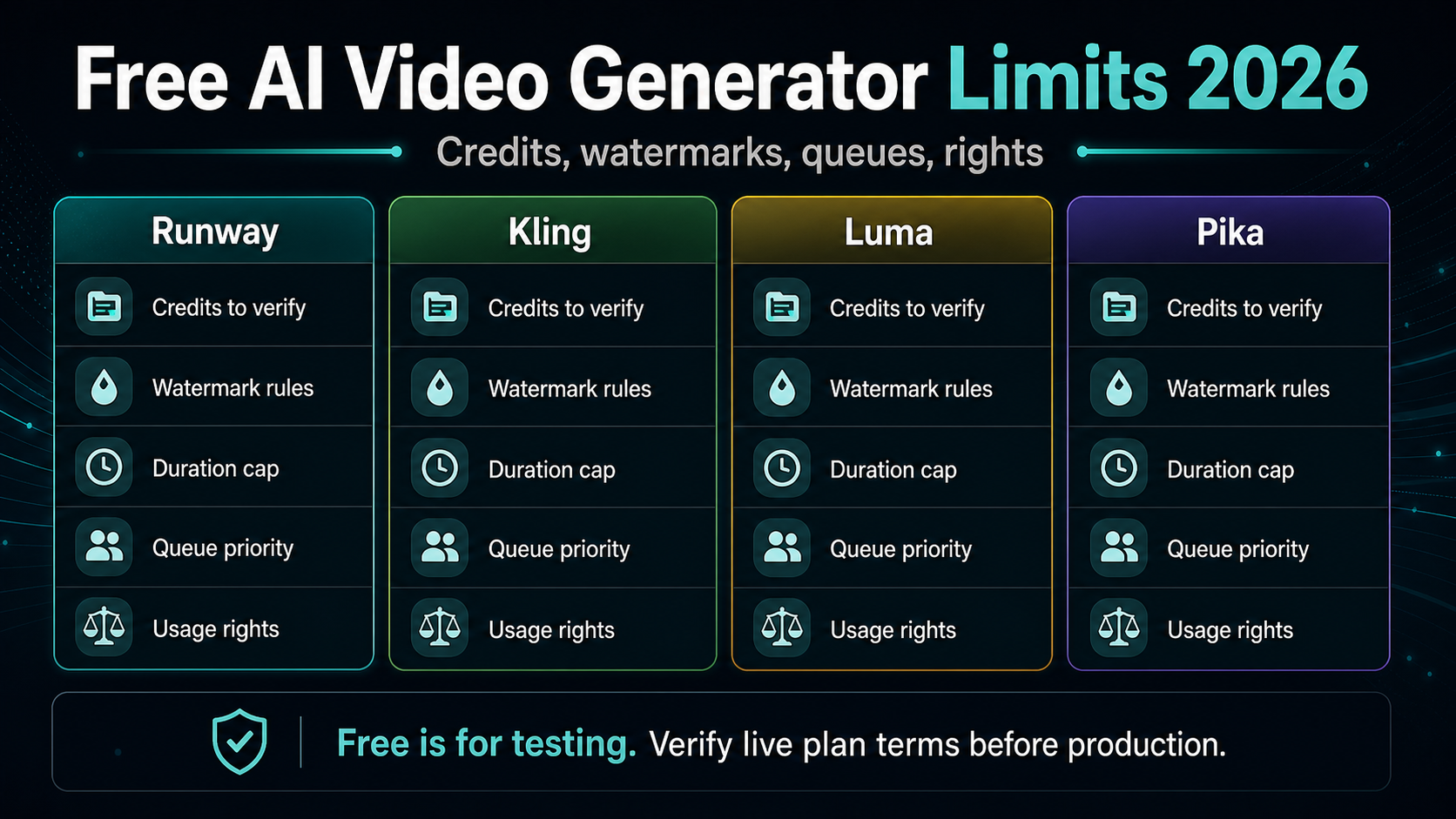
Kostenlose KI-Videogeneratoren sind nützlich zum Erlernen einer Benutzeroberfläche und zum Testen der groben Modellanpassung, für die Produktion reichen sie jedoch selten aus. Bevor Sie sich auf ein kostenloses Kontingent verlassen, überprüfen Sie Credits, Aktualisierungsrhythmus, Wasserzeichen, kommerzielle Nutzung, Dauer, Auflösung, Warteschlangenpriorität und wie viele Wiederholungen Sie für einen verwendbaren Clip benötigen. Preise, Modellversionen und kostenlose Kontingentlimits auf dieser Seite wurden zuletzt am 2. August 2026 überprüft.
Was dieser Vergleich abdeckt
Kostenlose KI-Videolimits im Vergleich
Vergleichen Sie monatliche Vergütungen, Auflösung, Wasserzeichen, Modellzugriff und bezahlte Upgrade-Kosten für alle kostenlosen KI-Videotools. Für aktuelle UlazAI-Willkommensguthaben und Generationspreise öffnen Sie die UlazAI kostenloser KI-Videogenerator.
Informationen zum aktuellen Preis von Pika, dem 80-Credit-Guthaben und dem 480p-Limit finden Sie im entsprechenden Artikel Seite mit Pika-Grenzwerten für kostenlose Pläne.
| Werkzeug | Die kostenlose Stufe ist nützlich für | Auf Überprüfung beschränken | Wann zu zahlen ist |
|---|---|---|---|
| Runway | Lernen Sie die Benutzeroberfläche kennen und testen Sie Gen-4 Turbo Bild-zu-Video, bevor Sie bezahlen. | Offizielle Dokumente führen eine einmalige kostenlose Zuteilung von 125 Credits, Gen-4-Turbo-Bild-zu-Video-Zugriff und mit Wasserzeichen versehene kostenlose Ausgaben auf. | Zahlen Sie, wenn Sie mehr Wiederholungsversuche, Zugang zu High-End-Modellen oder ein vorhersehbares Produktionsvolumen benötigen. |
| Kling | Realismustests, Personenaufnahmen und schnelle Überprüfungen neuerer Videomodelle. | Aktuelle regionale/Konto-Guthabenregeln, Wasserzeichenverhalten, Warteschlangenmodus und modellspezifische Kosten. | Zahlen Sie, wenn Ihr Test eine zuverlässige Generierungsgeschwindigkeit oder neuere Modelleinstellungen erfordert. |
| Luma | Erkundung von Produktszenen, filmischen Entwürfen und schneller kreativer Umsetzbarkeit. | Testguthaben, entspannter versus schneller Modus, kommerzielle Rechte, Wasserzeichen und aktuelle Ray-Modellpreise. | Zahlen Sie, wenn Sie eine kommerzielle Nutzung, eine höhere Priorität, sauberere Exporte oder ein größeres wöchentliches Volumen benötigen. |
| Pika | Reibungslose Tests, kurze soziale Clips und schnelle kreative Iteration. | Monatliche Video-Credits, Auflösungsobergrenzen, Modellzugriff, Wasserzeichenstatus und Sprache für die kommerzielle Nutzung. Benutzen Sie die Grenzen des kostenlosen Pika-Plans für die aktuellen Details. | Zahlen Sie, wenn Grundkredite oder Abwicklungsgrenzen den endgültigen Vermögenswert blockieren; verwenden Pika-Kreditmathematik zur Versuchsplanung. |
Checkliste für Grenzwerte
Kostenlos bedeutet nicht, dass es produktionsbereit ist.
Ein kostenloser Plan kann für einen ersten Test perfekt sein, für Anzeigen, Kundenarbeiten oder ein Einführungsvideo jedoch falsch sein. Überprüfen Sie die Einschränkungen, bevor Sie den Inhaltsplan darauf aufbauen.
Credits und Aktualisierungsrhythmus
Ein kostenloser Plan kann sich großzügig anfühlen, bis ein kurzer Clip das monatliche oder Testkontingent übersteigt.
Überprüfen Sie, ob das Guthaben einmalig, täglich, monatlich, nur für die Testversion oder durch den Warteschlangenmodus begrenzt ist.
Wasserzeichen und Exportrechte
Wasserzeichen und nichtkommerzielle Einschränkungen können Anzeigen, Kundenarbeit und öffentliche Produktdemos blockieren.
Lesen Sie die aktuelle Preisseite und die aktuellen Bedingungen, bevor Sie einen kostenlosen Export in kommerzielle Inhalte nutzen.
Dauer- und Auflösungsobergrenzen
Ein kostenloser Clip kann zwar technisch generiert, aber dennoch zu kurz, zu niedrig aufgelöst oder für den Kanal falsch geformt sein.
Überprüfen Sie die Live-Benutzeroberfläche auf Dauer, Auflösung, Bildrate und Seitenverhältnis, bevor Sie den Produktionsauftrag schreiben.
Warteschlangengeschwindigkeit und Wiederholungsversuche
Freie Warteschlangen verlangsamen die Iteration häufig und die Videogenerierung erfordert Wiederholungsversuche.
Verfolgen Sie die Zeit bis zur ersten Ausgabe und zählen Sie, wie viele Versuche erforderlich sind, bevor ein Clip verwendbar ist.
Upgrade-Pfad
Der beste kostenlose Test ist der, der natürlich zeigt, ob sich bezahlte Credits lohnen.
Wenn die Ausgabe funktioniert, vergleichen Sie die Pakete anhand der erwarteten wöchentlichen Clips und nicht anhand des niedrigsten monatlichen Gesamtpreises.
Wie soll ich diese Woche entscheiden?
Nutzen Sie kostenlose Credits, um die Benutzeroberfläche zu erlernen, die Machbarkeit von prompt zu testen und herauszufinden, ob das Modell Ihren Schuss versteht. Verwenden Sie das kostenlose Kontingent nicht als Produktionsplan, es sei denn, die Exportrechte, Wasserzeichenregeln, die Warteschlangengeschwindigkeit und das Wiederholungsbudget entsprechen alle dem tatsächlichen Anwendungsfall.
Führen Sie einen Tool-übergreifenden Test mit demselben Bild durch, verfolgen Sie fehlgeschlagene Versuche und stellen Sie dann den erfolgreichen Workflow auf einen kostenpflichtigen Kreditplan um, wenn die Kosten pro nutzbarem Clip vorhersehbar sind. Überprüfen Sie für Pika die Limits für kostenlose Tarife und nutzen Sie die Kostenloser Credits-Leitfaden um zu berechnen, wie viele Versuche passen.
FAQ
Reichen kostenlose KI-Videogeneratoren für die Produktion aus?
Normalerweise nicht. Sie sind nützlich zum Lernen und für grobe Tests, aber für die Produktionsarbeit sind häufig wasserzeichenfreie Exporte, kommerzielle Nutzung, zuverlässige Warteschlangen, eine höhere Auflösung und genügend Wiederholungsversuche erforderlich.
Welche Limits für kostenlose Tarife sollte ich zuerst überprüfen?
Überprüfen Sie den Credit-Betrag, den Aktualisierungsrhythmus, die Wasserzeichenregeln, die kommerziellen Rechte, die Dauer, die Auflösung, die Warteschlangenpriorität und ob fehlgeschlagene Generationen immer noch Credits ausgeben.
Ersetzt dies die Seite zum kostenlosen KI-Videogenerator UlazAI?
Nein. Auf dieser Seite werden die Limits des kostenlosen Kontingents für externe Tools verglichen. Auf der Seite zum kostenlosen KI-Videogenerator UlazAI wird speziell erläutert, wie Sie mit UlazAI beginnen.
Wann sollte ich von kostenlosen KI-Videotools upgraden?
Aktualisieren Sie, wenn Sie kommerzielle Ausgabe, zuverlässige Iteration, markensichere Exporte, höhere Auflösung oder genügend Wiederholungsversuche benötigen, um Clips konsistent zu produzieren.