Borrowed Light
A small lighthouse robot gets help from glowing sea creatures.
Use this story : Borrowed LightUlazAI - AI Image & Video Tools
Write an idea, shape the characters and shots, then generate a short film with sound.
New filmA small lighthouse robot gets help from glowing sea creatures.
Use this story : Borrowed LightA gardening robot meets a plant that refuses to stay small.
Use this story : One Last LeafThese two films were made with Grok Imagine at 720p. Opening an example reuses its plan and images; new generations cost credits.
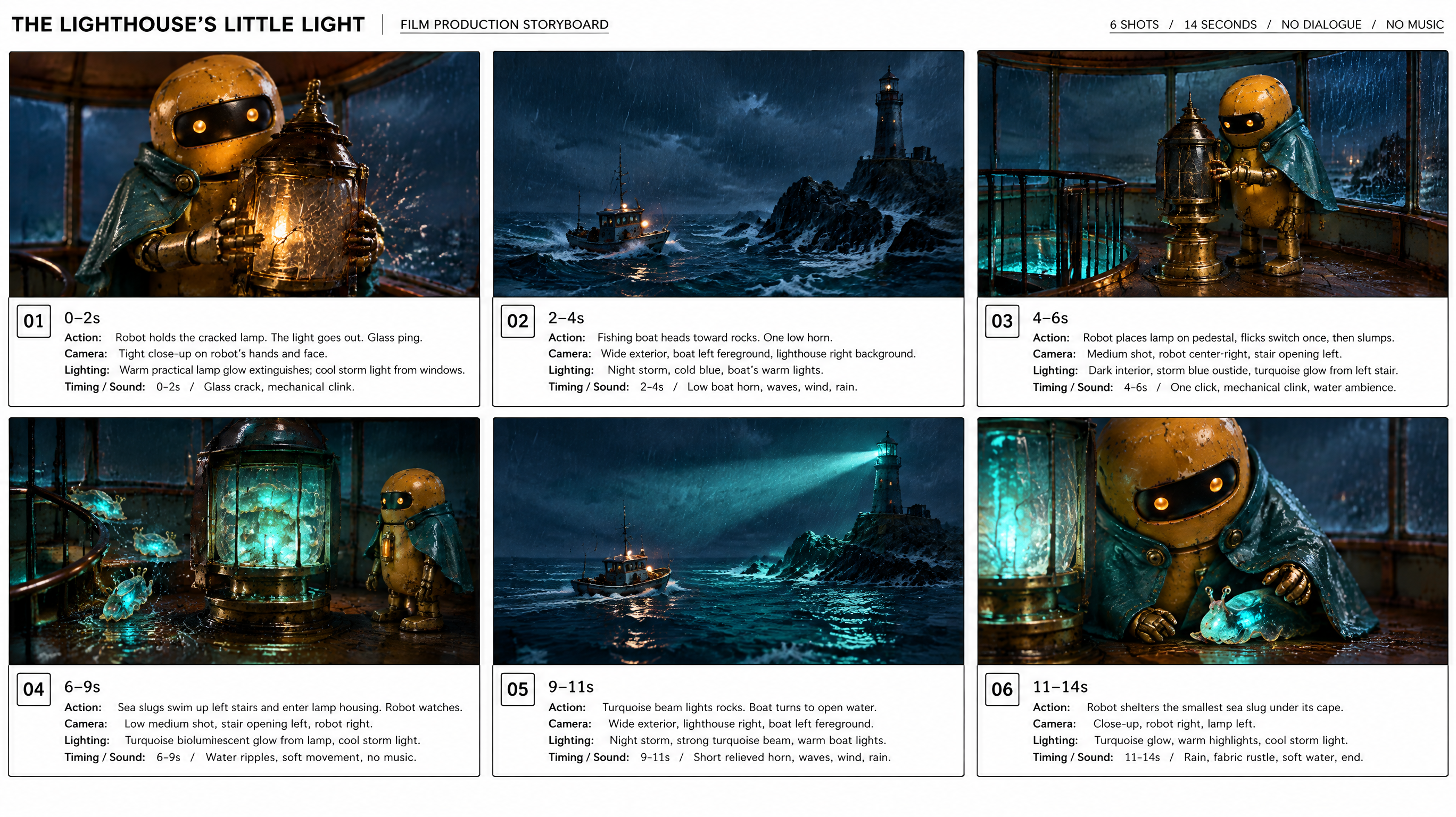
Describe the story and style. Let AI draft the plan, then edit the direction and individual shots.
Generate characters, props and locations, or upload your own images.
Build a storyboard from your shots and choose the version you want to animate.
Choose a model, duration and resolution. Generate the film, compare takes and download your favourite.
A storyboard guides the model; it does not guarantee every shot or action. Compare takes and adjust the plan when needed.
Start with 480p or 720p and a short duration to keep test costs down. Grok Imagine and Seedance 2.5 are available. The editor shows the credit cost before each generation.