Schritt 1
Beginnen Sie mit dem Cover
Upload a cover image, performance frame or previous last frame as the visual anchor.
UlazAI - KI-Bild- & Video-Tools
Nutzungsgesteuerter UlazAI-Workflow
Verwenden Sie ein Bild, ein Cover-Artwork oder einen letzten Frame als Anker für kurze Musikvideoszenen. Behalten Sie die gleiche Stimmung, das gleiche Bühnenbild und den gleichen Künstlerstil bei, während Sie Veo 3.1, Seedance und HappyHorse testen.
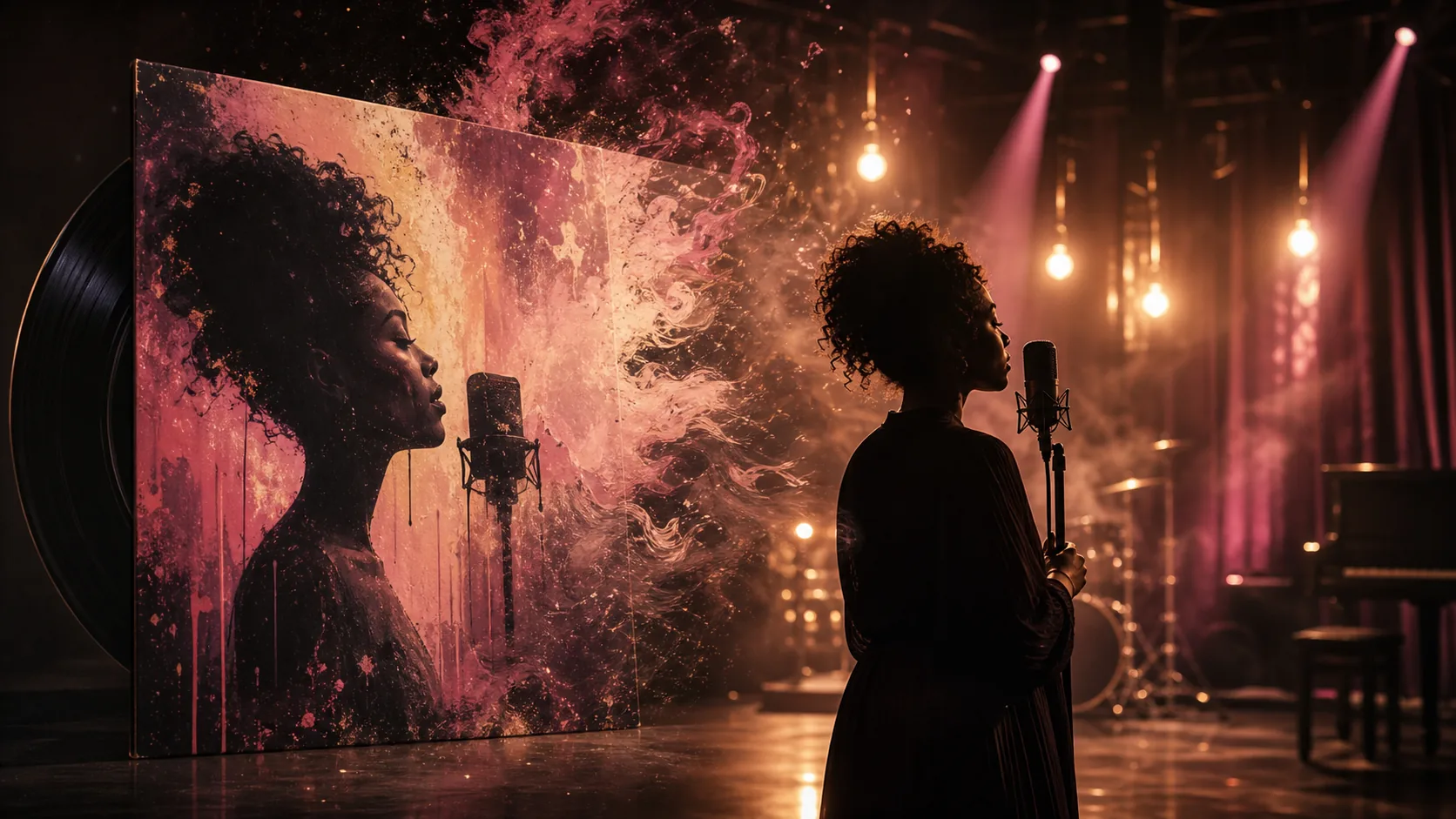
Generiertes Beispiel
Image-to-video workflow for short music visuals
Cover-Art zu Bewegung
Upload a cover image, performance frame or previous last frame as the visual anchor.
Lock style, lighting, camera movement, performer energy and the desired transition from static artwork to motion.
Generate several 8-15 second clips, keep the best sections and stitch them into a longer visual sequence.
Hierbei handelt es sich nicht um allgemeine Inhaltsvermutungen. Sie werden echten Benutzerworkflows zugeordnet, die bereits in der Produktionsnutzung von UlazAI angezeigt wurden.
Beispielausgaben
Jedes Beispiel verbindet das sichtbare Ergebnis mit einem prompt, den Benutzer kopieren, anpassen und in UlazAI ausführen können.
Real generiertes Raster-Asset
Dies ist die Art von fertigem Bildmaterial, von dem ein Besucher erwarten sollte, dass es erstellt, dann animiert, neu gemischt oder als Produktionsreferenz verwendet wird.
Öffnen Sie Video Studio8s image-to-video
Das Albumcover verwandelt sich in eine lebendige Szene und behält dabei Farbe, Textur, Rahmen und Interpretenstimmung bei.
Use the uploaded cover image as frame one, keep the exact painterly vintage festival mood, slow camera push, subtle stage haze, warm bulbs flicker, no cut, no style reset.
9:16 looping visual
Ein kurzer vertikaler Clip, der hinter einem Refrain-Teaser, einer Spotify Canvas-Bearbeitung oder einer Veröffentlichungsankündigung platziert werden kann.
Vertical 9:16 music visual from the reference frame, soulful performer silhouette, warm backlight, slow handheld sway, film grain, seamless loop feel, no text overlays.
Scene extension
Ein neuer Clip wird vom vorherigen Endbild fortgesetzt, sodass Redakteure mehrere generierte Aufnahmen zusammenfügen können.
Continue from the uploaded last frame with no cut, same charcoal and sepia etched style, stage smoke drifts, camera slowly reveals the audience, keep lighting and costume identical.
Prompt-Bibliothek
Nutzen Sie diese als schnelle Ausgangspunkte und ersetzen Sie dann Motiv, Stil, Kamerasprache und Ausgabebeschränkungen für Ihr eigenes Projekt.
Verwenden Sie das hochgeladene Titelbild als Eröffnungsbild einer 8-sekündigen 16:9-Musikvideoszene, malerische Vintage-Festivalstimmung, weiche Filmkörnung, langsamer filmischer Kameraschub.
Fahren Sie mit dem hochgeladenen letzten Bild fort, ohne Schnitt, mit demselben Kohle- und Ätzstil, monochromem Schwarz und sanfter Sepia-Wärme, subtilem Bühnenrauch und emotionaler Bewegung.
Animieren Sie eine gefühlvolle Performance-Szene aus dem Referenzrahmen, ausdrucksstarker malerischer Textur, warmen Lichtern, langsamen Bewegungen der Handkamera, kein visueller Reset.
Verwenden Sie das Modell, das dem Eingabetyp und dem Kostenprofil entspricht. Testen Sie zuerst kostengünstig und geben Sie dann für die stärkste Richtung aus.
Strong for image-to-video, first/last-frame continuity and longer music-video clips.
Useful for low-cost 8-second iterations and testing a visual direction.
Good when you want expressive image-to-video motion from a strong still frame.
Vergleichen Sie ein anderes Tool, öffnen Sie einen Modellführer oder fahren Sie mit einem verwandten Arbeitsablauf fort.
Yes. Use the cover as the first frame and describe how the scene should move while preserving the artwork's style.
Short clips are best treated as visual sections. Generate clips for verse, chorus or hook moments, then edit them to the track.
Seedance 2.0 is a strong starting point for reference-driven clips; Veo 3.1 Lite is useful for cheaper tests.
Öffnen Sie das entsprechende UlazAI-Tool, erstellen Sie eine erste Version und wandeln Sie dann die Gewinner-prompts in wiederverwendbare Assets um.
Öffnen Sie Video Studio