Stap 1
Begin met albumhoezen
Upload a cover image, performance frame or previous last frame as the visual anchor.
UlazAI - AI Beeld & Video Tools
Gebruiksgestuurde UlazAI-workflow
Gebruik één afbeelding, hoesontwerp of een laatste frame als anker voor korte muziekvideoscènes. Behoud dezelfde sfeer, podiumontwerp en artiestenstijl tijdens het testen van Veo 3.1, Seedance en HappyHorse.
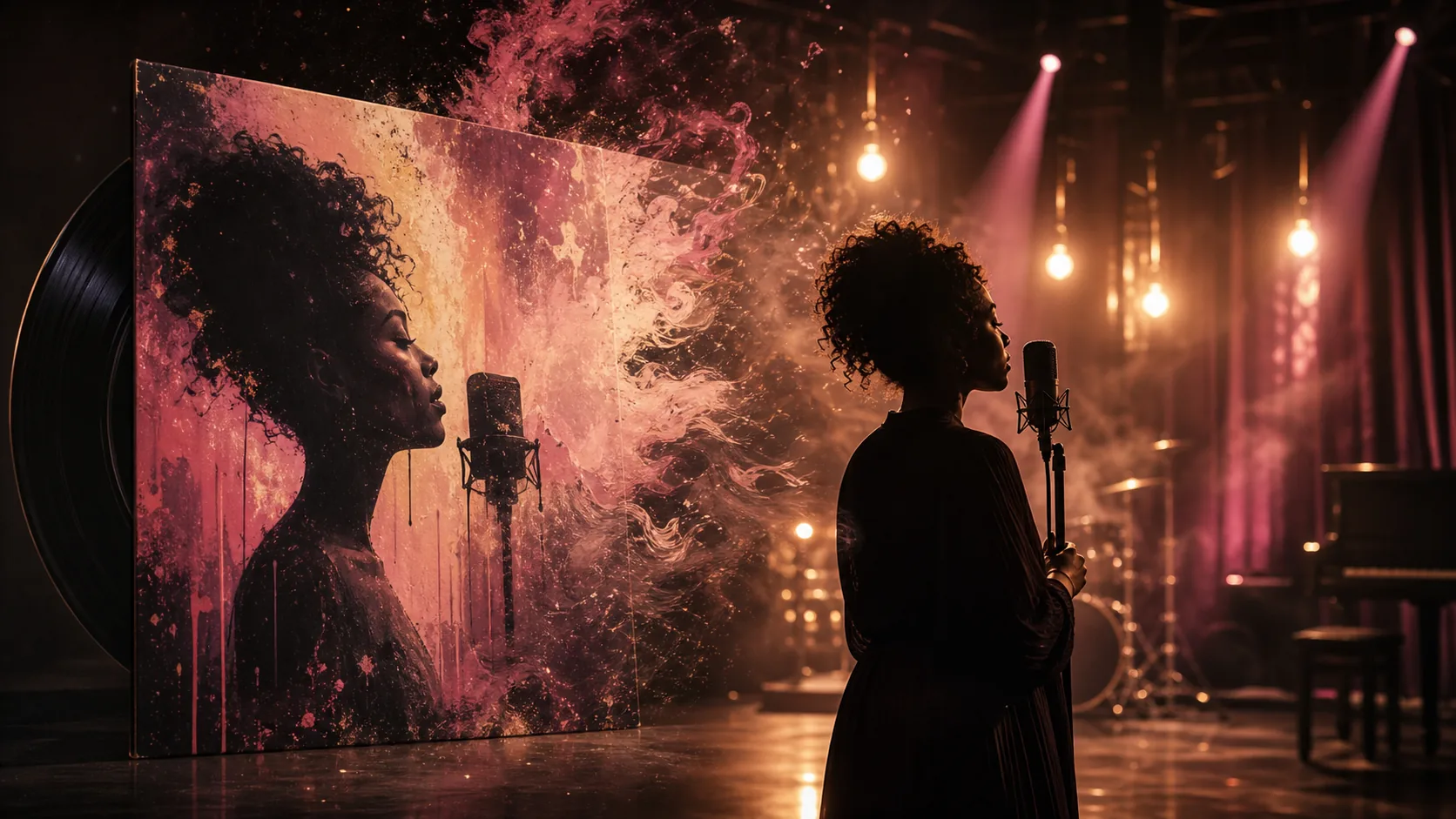
Gegenereerd voorbeeld
Image-to-video workflow for short music visuals
Van kunst naar beweging
Upload a cover image, performance frame or previous last frame as the visual anchor.
Lock style, lighting, camera movement, performer energy and the desired transition from static artwork to motion.
Generate several 8-15 second clips, keep the best sections and stitch them into a longer visual sequence.
Dit zijn geen algemene gissingen over de inhoud. Ze komen overeen met echte gebruikersworkflows die al verschenen in het productiegebruik van UlazAI.
Voorbeeld uitgangen
Elk voorbeeld koppelt het zichtbare resultaat aan een prompt die gebruikers kunnen kopiëren, aanpassen en uitvoeren binnen UlazAI.
Echt gegenereerd rastermiddel
Dit is het soort voltooide visual dat een bezoeker mag verwachten te creëren, vervolgens te animeren, te remixen of te gebruiken als productiereferentie.
Open Videostudio8s image-to-video
De albumhoes verandert in een levende scène met behoud van kleur, textuur, kadrering en de stemming van de artiest.
Use the uploaded cover image as frame one, keep the exact painterly vintage festival mood, slow camera push, subtle stage haze, warm bulbs flicker, no cut, no style reset.
9:16 looping visual
Een korte verticale clip die achter een refreinteaser, Spotify Canvas-bewerking of release-aankondiging kan worden geplaatst.
Vertical 9:16 music visual from the reference frame, soulful performer silhouette, warm backlight, slow handheld sway, film grain, seamless loop feel, no text overlays.
Scene extension
Een nieuwe clip gaat verder vanaf het vorige eindframe, zodat editors meerdere gegenereerde opnamen aan elkaar kunnen plakken.
Continue from the uploaded last frame with no cut, same charcoal and sepia etched style, stage smoke drifts, camera slowly reveals the audience, keep lighting and costume identical.
Prompt-bibliotheek
Gebruik deze als snelle startpunten en vervang vervolgens onderwerp, stijl, camerataal en uitvoerbeperkingen voor uw eigen project.
Gebruik de geüploade omslagfoto als openingsframe van een 8 seconden durende 16:9 muziekvideoscène, schilderachtig vintage festivalgevoel, zachte filmkorrel en langzame filmische camerabeweging.
Ga verder vanaf het geüploade laatste frame zonder uitsnede, dezelfde houtskool- en etsstijl, monochroom zwart en zachte sepia-warmte, subtiele podiumrook en emotionele beweging.
Animeer een soulvolle prestatiescène vanuit het referentiekader, expressieve schilderkunstige textuur, warme lichten, langzame camerabewegingen uit de hand, geen visuele reset.
Gebruik het model dat past bij het invoertype en het kostenprofiel. Eerst goedkoop testen en dan uitgeven aan de sterkste richting.
Strong for image-to-video, first/last-frame continuity and longer music-video clips.
Useful for low-cost 8-second iterations and testing a visual direction.
Good when you want expressive image-to-video motion from a strong still frame.
Vergelijk een andere tool, open een modelguide of ga verder met een gerelateerde workflow.
Yes. Use the cover as the first frame and describe how the scene should move while preserving the artwork's style.
Short clips are best treated as visual sections. Generate clips for verse, chorus or hook moments, then edit them to the track.
Seedance 2.0 is a strong starting point for reference-driven clips; Veo 3.1 Lite is useful for cheaper tests.
Open de relevante UlazAI-tool, maak een eerste versie en verander de winnende prompts in herbruikbare assets.
Open Videostudio