UlazAI - Instrumente AI pentru imagine și video
Comparație imagine-video
Cele mai bune instrumente AI de imagine în video din 2026: Runway vs Kling vs Luma vs Pika
Dacă lista dvs. scurtă este Runway ML vs Kling AI vs Luma Dream Machine vs Pika Labs și sursa este o imagine statică, începeți aici. Runway este cel mai puternic atunci când aveți nevoie de mișcare direcționată a camerei și controale de producție curate. Kling este un test puternic de realism și valoare. Luma este utilă pentru explorarea cinematografică. Pika este cel mai bun pentru experimente creative simple și rapide. Comparați-le cu aceeași imagine statică, raport de aspect, scurtarea mișcării și reîncercați bugetul înainte de a alege un flux de lucru. Prețurile, versiunile de model și limitele nivelului gratuit de pe această pagină au fost verificate ultima dată pe 2 august 2026.
Modele imagine-video
Utilizați această pagină pentru Runway ML, Kling AI, Luma Dream Machine și Pika Labs atunci când punctul de plecare este o imagine statică care necesită mișcare. Cu cât mai larg Ghid de modele video AI rămâne pagina pentru selecția completă a modelului, planificarea text-to-video, audio și API.
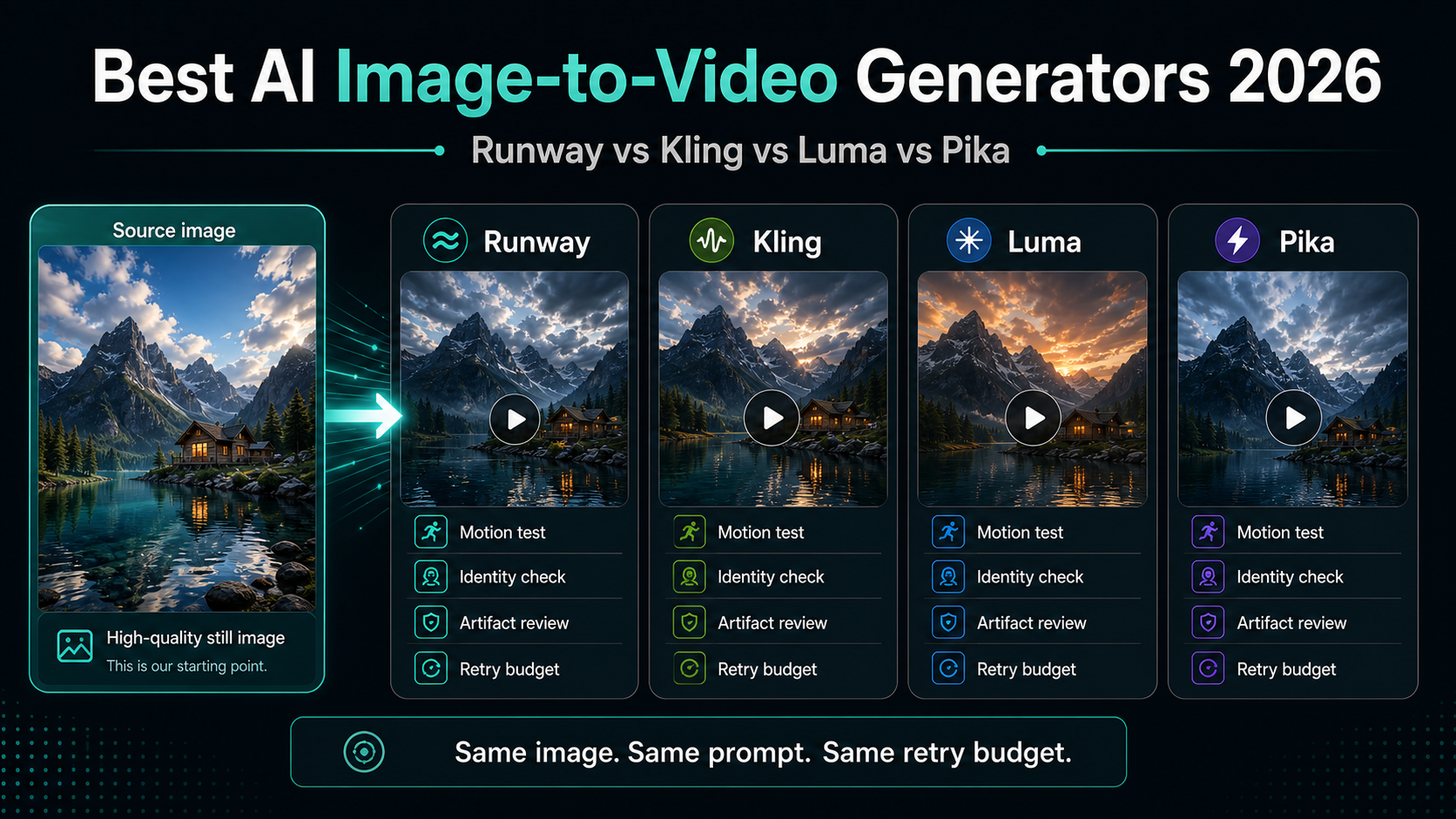
Domeniul de comparație
Alegeți un instrument imagine-video prin controlul mișcării, reîncercări și costul per clip utilizabil.
Utilizați Ghid de modele video AI pentru comparații ample text-to-video, audio, API și modele. Pentru animația cu imagini statice, testați o imagine sursă în Runway, Kling, Luma și Pika și comparați rezultatul utilizabil după reîncercări.
| Instrument | Cel mai potrivit | Atenție la | Test corect |
|---|---|---|---|
| Runway | Mișcarea direcționată a camerei, controale de producție mai curate și echipe care doresc un flux de lucru creativ matur. | Creditele se pot muta rapid atunci când aveți nevoie de mai multe încercări sau clipuri mai lungi. | Utilizați o singură imagine și o mișcare a camerei; Documentele Runway Gen-4 spun că imaginea de intrare acționează ca primul cadru. |
| Kling | Oameni, teste de realism, explorare cu mai multe fotografii și iterație axată pe valoare. | Limitele gratuite și plătite pot varia în funcție de model, regiune, cont și suprafața oficială a aplicației. | Urmăriți păstrarea identității, stabilitatea feței, realismul mișcării și creditele cheltuite pe rezultat utilizabil. |
| Luma | Explorări cinematografice, scene de produs, fotografii intense în fizică și dezvoltare vizuală rapidă. | Numele planurilor, modurile de credit și documentele mai vechi Dream Machine pot fi confuze. | Verificați pagina actuală de prețuri și interfața de utilizare live înainte de a promite durata sau costul exact. |
| Pika | Iterații sociale rapide, teste simple imagine-video și explorare creativă cu frecare redusă. | Rezoluția, accesul la model și costurile de credit diferă în funcție de plan; utilizați Limitele planului gratuit Pika pentru detalii de preț curent. | Rulați trei încercări de la același alambic, apoi verificați Lungime maximă Pika înainte de scalare. |
Flux de lucru de referință
Utilizați același test înainte de a alege un câștigător.
Cele mai multe clasamente sunt prea laxe, deoarece compară diferite prompt-uri, imagini și rezultate. Folosiți o imagine curată, scrieți o scurtă mișcare și limitați fiecare instrument la același buget de reîncercare.
Calitatea imaginii de intrare
Imaginile sursă slabe fac ca fiecare model video să arate mai rău și ascund diferența reală dintre instrumente.
Utilizați o imagine clară, cu un subiect clar, margini curate și suficient spațiu de fundal pentru mișcarea camerei.
Realism de mișcare
De obicei, imaginea-video nu reușește atunci când subiectul se deformează, mâinile se rup, logo-urile se deplasează sau mișcarea camerei ignoră prompt.
Solicitați o mișcare la un moment dat, apoi notați identitatea subiectului, mișcarea camerei, consistența obiectului și artefactele.
Durata și raportul de aspect
Majoritatea instrumentelor arată bine în mostre scurte, dar limita practică, raportul de aspect și formatul de export decid dacă clipul este utilizabil.
Verificați documentele actuale ale produsului sau interfața de utilizare live înainte de a promite durata, rezoluția sau rezultatele specifice platformei.
Costul pe clip utilizabil
Cel mai ieftin instrument nu este mai ieftin dacă aveți nevoie de mai multe încercări înainte ca un clip să fie utilizat.
Urmăriți creditele cheltuite, încercările eșuate, timpul de așteptare și câte clipuri finale trec de bara de calitate.
Recomandare practica
Începeți cu instrumentul imagine-video care se potrivește cu fotografia. Alegeți Runway când contează direcția controlată a camerei, Kling când contează oamenii realiști sau consistența mișcării, Luma când explorați scene cinematografice sau produse și Pika când aveți nevoie de schițe creative rapide. Pentru comparații text-video, audio și API, utilizați opțiunea mai largă Ghid de modele video AI.
Nu alegeți după un clip demonstrativ. Alegeți după costul pe clip utilizabil după reîncercări. Aceasta este valoarea care decide dacă instrumentul poate accepta reclame săptămânale, postări sociale, demonstrații de produse sau producție bazată pe API.
Referințele oficiale verificate
FAQ
Care este cel mai bun generator de imagine în video AI în 2026?
Nu există un singur câștigător pentru fiecare loc de muncă. Runway este o alegere puternică pentru controlul direcționat al producției, Kling este un punct de referință puternic pentru realism și valoare, Luma este util pentru explorarea cinematografică, iar Pika este util pentru teste creative rapide.
Cum ar trebui să compar în mod echitabil instrumentele imagine-video?
Utilizați aceeași imagine statică, raportul de aspect, prompt, durata țintă și bugetul de reîncercare. Apoi, înscrieți păstrarea identității, calitatea mișcării, artefacte, timpul de coadă și costul per clip utilizabil.
Este același lucru cu o comparație generală a modelelor video AI?
Nu. Această pagină este numai pentru fluxurile de lucru de la imagine statică la video. Utilizați ghidul de modele video AI atunci când aveți nevoie de o comparație mai amplă text-to-video, audio, API sau producție.
Ar trebui să încep cu un plan gratuit sau credite plătite?
Folosiți planuri gratuite pentru a învăța interfața și pentru a testa potrivirea brută. Treceți la credite plătite atunci când aveți nevoie de exporturi fără filigran, utilizare comercială, cozi previzibile sau suficiente reîncercări pentru producție.