UlazAI - AI Image & Video Tools
Duration limits hub
AI video length limits in 2026: Runway, Veo, Pika, Kling and Luma compared
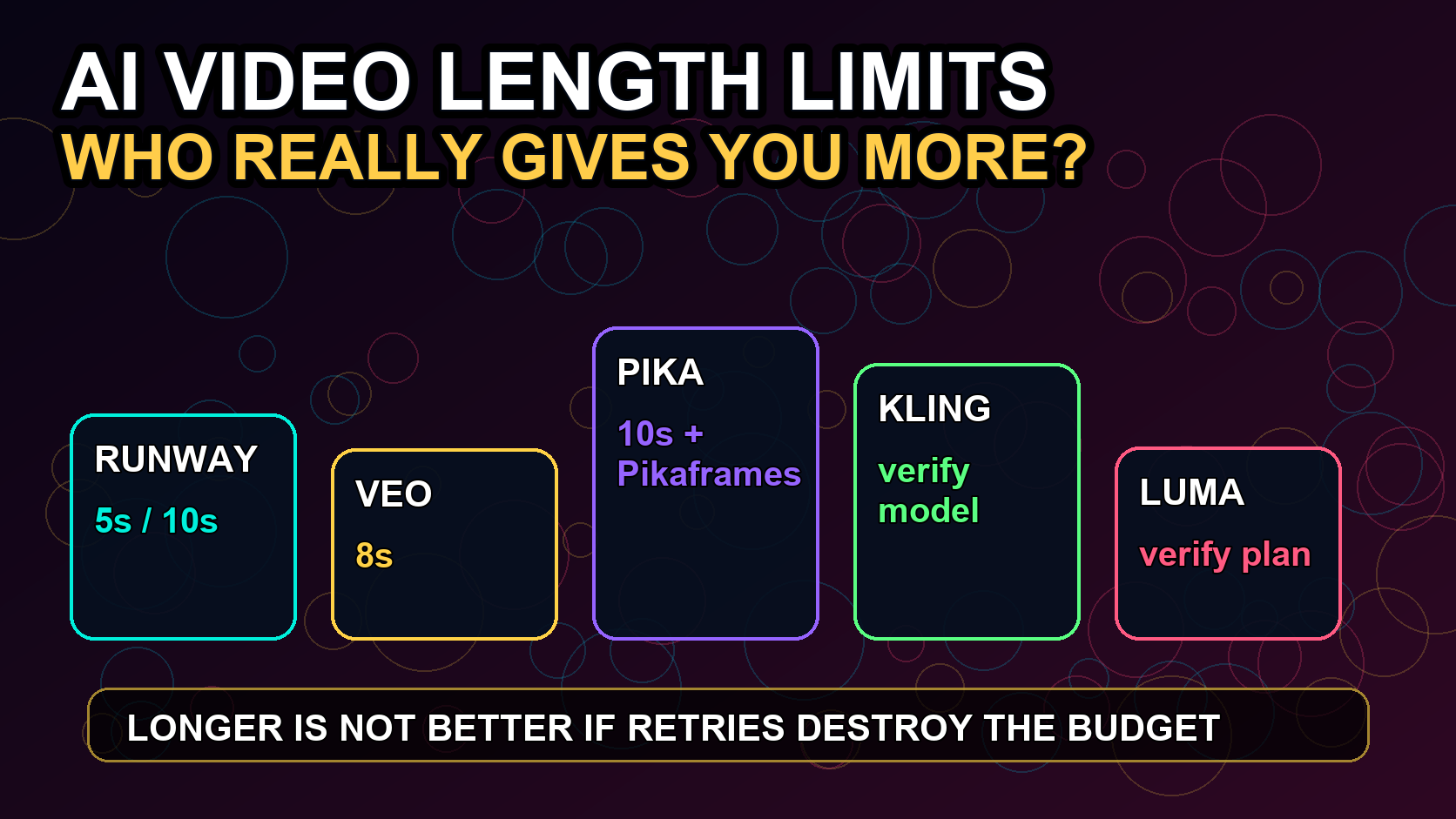
AI video length limits are usually shorter than buyers expect. Runway's official Gen-4 docs describe 5s and 10s generations, Veo pages need 8s and extension checks, Pika often separates standard clips from Pikaframes, and Kling/Luma limits can vary by model, plan, and current UI. Use this page as the hub before committing a storyboard, ad script, or production budget.
Fast answer
Do not choose an AI video model by max duration alone.
Maximum duration alone is not enough. Check the plan, resolution, extension support, retry cost, and whether the model can join or extend clips.
For Runway's current 5- and 10-second options and extension limits, read the Runway Gen-3 length guide.
| Model/tool | Known practical answer | Detailed guide | What to verify before production |
|---|---|---|---|
| Runway | Official Gen-4 docs describe 5s and 10s generations. | Runway Gen-3 length guide | Model, Turbo vs standard, extension path, credits per second, and output ratio. |
| Veo | Use the Veo page for 8s output, shorter options, and extension caveats. | Veo length guide | 4s/6s/8s options, 1080p or 4K cost, audio, extension, and reference-image workflow. |
| Pika | Separate standard short clips from Pikaframes and plan-specific duration access. | Pika max length | Pikaframes availability, free-plan caps, resolution, credits, and watermark behavior. |
| Kling | Duration varies by model/version and current product surface. | Kling 3.0 guide | Model version, quality mode, sound, motion control, credits, and regional UI. |
| Luma | Treat duration as a live-UI check because plan/model naming changes quickly. | Model comparison | Current Ray/Dream Machine model, queue priority, commercial rights, and export quality. |
Production checklist
A 10-second answer is only useful if it survives retries.
Use this checklist before writing a storyboard around any maximum-duration claim.
Standard clip length
This is the number searchers expect first, and it decides whether a tool can handle the script.
Check whether the generator defaults to 5s, 8s, 10s, 15s, or a separate long-form mode.
Extension path
Some tools allow longer stories through extension, but extensions may cost more or compound artifacts.
Verify whether the model extends the same clip, stitches a new clip, or requires a different product mode.
Plan restrictions
Free or starter plans often cap duration, model access, resolution, or watermarks.
Check plan-specific duration in the live UI before using the max headline number in a production plan.
Cost per finished second
The highest duration limit is not the best option if failed retries make every usable second expensive.
Track credits spent, failed attempts, queue time, and usable seconds per final clip.
Channel fit
A 5s hook can outperform a longer low-quality generation for ads and social.
Match duration to channel: short hooks, product loops, story beats, or longer explainer sections.
Choose a video length by model
Start with the model you want to use. Open the dedicated Runway, Veo or Pika limit page for exact durations, compare models in the broader AI video guide, or check packages after calculating the number of clips you need.
Duration limits determine whether a shot fits in one generation or needs multiple clips. Model quality and credit cost decide which option is practical for repeated production.
FAQ
What is the best AI video generator for longer clips?
It depends on whether you need one continuous clip, extension, or a storyboard stitched from short generations. Compare duration together with artifacts, cost per usable second, and plan restrictions.
How long are Runway Gen-4 videos?
Runway's official Gen-4 docs describe 5 and 10 second durations, with credit cost depending on model and duration.
Should I choose the model with the longest maximum duration?
Not automatically. A shorter, cleaner clip can be better for ads and social if the longer output has more artifacts or needs too many retries.
Where should I go next?
Use the Runway length page for Runway-specific limits, the Veo length page for Veo-specific limits, the Pika max-length page for Pika and Pikaframes, or the full model guide for general model selection.