UlazAI - AI Image & Video Tools
Grok Imagine Pricing + API Guide · UlazAI
Grok pricing
Grok Imagine pricing:
credits, API & limits
Grok Imagine API pricing, rate limits and video credits
Looking for Grok Imagine API pricing in 2026? The short answer is simple: on UlazAI, Grok uses credits, not token billing. Text-to-image costs 8 credits. Video costs 10 to 70 credits depending on duration and resolution.
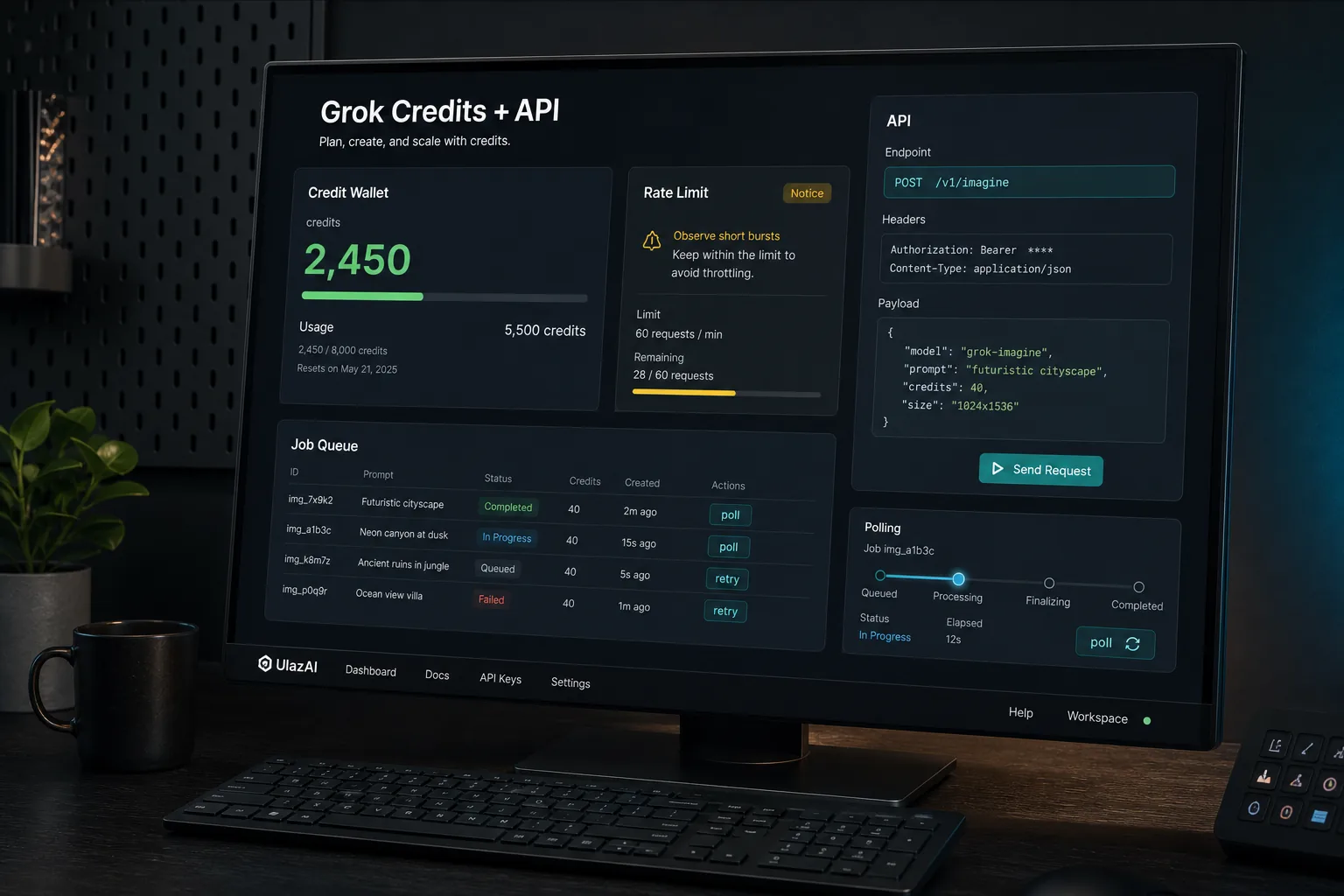
API and quota update
The official xAI docs describe Grok Imagine video API pricing per second, 480p/720p output, 15-second generation limits, and asynchronous polling. UlazAI uses shared credits for Studio and API generation. If your main concern is API capacity, app quota behavior, retries or queue planning, read the Grok Imagine rate-limits guide before you automate batches.
Pay-as-you-go credits · Grok pricing visible before checkout · Built for teams that want Studio and API access from one balance
Fast answer
How many credits does Grok video use?
- 480p — 6s 10 • 7s 13 • 8s 15 • 9s 18 • 10s 20 • 11s 22 • 12s 24 • 13s 26 • 14s 28 • 15s 30 • 16s 32 • 17s 34 • 18s 36 • 19s 38 • 20s 40 • 21s 42 • 22s 44 • 23s 46 • 24s 48 • 25s 50 • 26s 52 • 27s 54 • 28s 56 • 29s 58 • 30s 60 credits
- 720p — 6s 20 • 7s 23 • 8s 25 • 9s 28 • 10s 30 • 11s 32 • 12s 34 • 13s 36 • 14s 38 • 15s 40 • 16s 42 • 17s 44 • 18s 46 • 19s 48 • 20s 50 • 21s 52 • 22s 54 • 23s 56 • 24s 58 • 25s 60 • 26s 62 • 27s 64 • 28s 66 • 29s 68 • 30s 70 credits
- 8 credits — Text → image
Check the credit cost before signup, API setup, or choosing a package.
Billing model
Does Grok Imagine use tokens or credits?
- • On UlazAI, Grok jobs use credits, not token meters.
- • That makes campaign budgeting simpler when you care about cost per clip, not raw token math.
- • The same balance works across Grok, Veo, Sora, Kling and image tools.
The credit amounts below show what generation costs inside UlazAI.
Grok Imagine rate-limit planning
Treat rate limits as a workflow constraint, not just an error message. UlazAI pricing tells you the credit cost per job, while upstream xAI limits can still affect burst volume, queue planning and whether you need a higher-limit account. For production, budget by usable clips per hour, not only credits per render. The supporting rate-limits guide breaks down API limits, app quotas, polling and retries.
Small tests
Use Studio first, keep prompts short, and compare 480p vs 720p before automating.
API batches
Throttle jobs, poll status sensibly, and retry only failed tasks that still fit your budget.
Higher volume
Use the official xAI model page for upstream rate-limit increase requests and then mirror that plan in UlazAI credits.
What Grok Imagine supports on UlazAI
Grok Imagine is xAI's media generation family: image generation, image editing and video generation live under one model line, and on UlazAI they all draw from the same credit balance.
- • Text → Video for short ad clips, hooks, explainers, and social edits
- • Image → Video when you want to animate brand stills or product shots
- • Text → Image for storyboards, thumbnails, and moodframes
- • Studio + API access from the same account and the same credit balance
How Grok fits into your stack
- Connect via UlazAI API (Token or API key)
- Send prompts to `/grok/generate/text-to-video/` or `/grok/generate/text-to-image/`
- Poll `/grok/task/{task_id}/status/` or rely on webhooks
- Serve final CDN URLs in your product, studio, or campaigns
We handle retries, stuck-task detection and credit refunds when Grok fails, so you don’t have to build that logic yourself.
Example: start Grok text → video
POST https://ulazai.com/grok/generate/text-to-video/
Authorization: Token YOUR_API_TOKEN

prompt=Neon city fly-through at night, cinematic, shallow depth of field
aspect_ratio=2:3
mode=normal
duration=15
resolution=720p
Check status
GET https://ulazai.com/grok/task/<task_id>/status/
Authorization: Token YOUR_API_TOKEN
Why run Grok via UlazAI?
One credit wallet
Use the same credits for Veo 3.1, Sora 2, Seedream and Grok. No separate contracts or wallets.
Studio + API
Non-technical teams can generate from the Grok Studio UI while devs hit the API in parallel.
Account and payment requirements
A new account starts with 5 credits. 1 credit accrues for each day the account exists, up to 20. Credits can be used only after email verification. Accrual pauses if you do not log in for more than 1 days. No credit card is needed to create an account.
The official Grok Imagine API from xAI, and this route
xAI now offers a first-party Grok Imagine API covering video generation and video editing, announced on the xAI news post. That is the vendor route: your own xAI account, their billing and rate limits, their model identifiers. The table below is the UlazAI route: one Bearer key, credit pricing from the table above, and the same task-poll shape used by the rest of this site's video APIs.
| Choose | When it fits |
|---|---|
| xAI's official API | You need a direct vendor relationship, their editing endpoints, or enterprise terms with xAI. |
| Grok Imagine on UlazAI | You want credit-based access with a known per-call cost, shared with your other video models, without a second account. |
Calling Grok Imagine from your own code
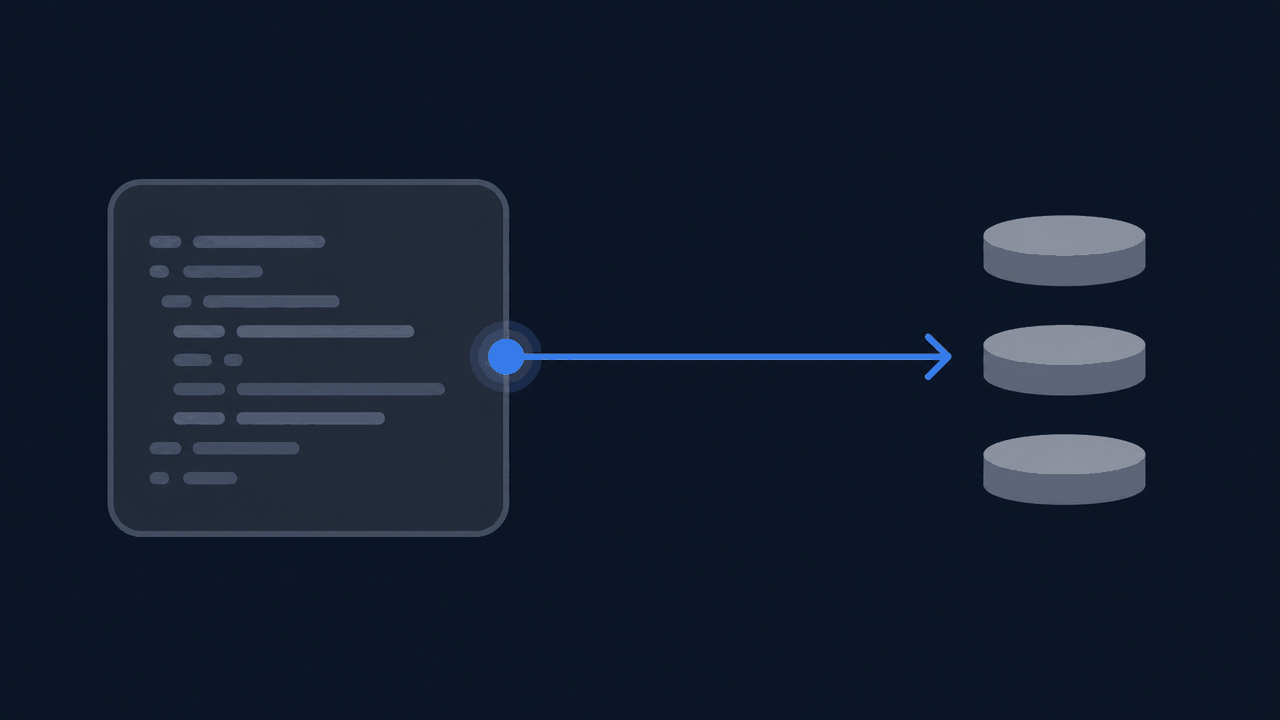
The same credits that run Grok Imagine in Studio also run it over the API, so you can prototype in the browser and then move the exact prompt into your own service without a second billing setup.
| Endpoint | Use it for |
|---|---|
POST /grok/generate/text-to-image/ |
A still image from a prompt. |
POST /grok/generate/text-to-video/ |
A clip from a prompt alone. |
POST /grok/generate/image-to-video/ |
A clip that animates an image you supply. |
GET /grok/task/{task_id}/status/ |
Poll until the job finishes and returns its output URL. |
curl -X POST https://ulazai.com/grok/generate/text-to-video/ \
  -H "Authorization: Bearer $ULAZAI_API_KEY" \
  -H "Content-Type: application/json" \
  -d '{"prompt": "a paper plane crossing a city skyline at dusk"}'
Generation is asynchronous: the create call returns a task id, and you poll the status endpoint until the output URL appears. Because billing is per credit rather than per token, the cost of a run is known before you send it — the credit table above is the whole price list.
FAQ
Is this official Grok?
UlazAI connects to Grok on your behalf. You use UlazAI credits and auth; we proxy the model safely.
How many credits does Grok Imagine video use?
Video pricing is 480p: 6s 10 credits, 10s 20 credits, 15s 30 credits. For 720p it is 6s 20 credits, 10s 30 credits, 15s 40 credits. Text-to-image remains 8 credits.
How many dollars in Grok credits do Grok videos take?
UlazAI prices credits in euros, not dollars. The €3 starter package carries 250 credits, so one credit is about 1.2 euro cent: a 6-second 480p video (10 credits) costs about €0.12, a 15-second 720p clip (40 credits) about €0.48, and text-to-image (8 credits) around €0.10.
Does Grok Imagine use tokens or credits?
On UlazAI, Grok uses credits instead of token-based billing. That makes cost planning easier when you are buying packages and budgeting by clip.
Can I send Grok requests with JSON payloads?
Yes. Use API endpoints with standard auth headers and JSON body parameters for text-to-video and image-to-image/image-to-video flows.
What is Grok R2V (reference-to-video)?
R2V means you supply one or more reference images and a prompt, and Grok Imagine animates a short clip that keeps that subject. It is the image-to-video / reference-to-video path on UlazAI: upload your reference, describe the motion, and pick 480p or 720p. Same credit pricing as text-to-video by duration and resolution.
How do refunds work?
If Grok fails a job, we automatically mark the task as failed and return credits to your balance.
Can I use the results commercially?
Yes. Our ToS allows commercial usage of outputs, subject to upstream safety rules.
Grok R2V and image-to-video on UlazAI
Grok Imagine can start from a reference image instead of text alone, which xAI calls reference-to-video. On UlazAI you do this from one credit wallet:
- Upload your reference image (a character, product or scene you want to keep).
- Write a short motion prompt - what moves, the camera, the mood.
- Pick resolution and duration; cost follows the same credit table as text-to-video.
- Submit, then poll the job until it returns the finished clip.
Comparing access routes? Grok Imagine is also offered by xAI directly and via third-party API marketplaces; UlazAI's advantage is one balance and auth shared across Grok, Veo, Seedance and the other models, plus automatic credit refunds on failed jobs. See the 2026 model guide to compare.
Related Grok Workflows
External references: xAI developer docs, OpenAI platform docs, Google AI developer docs.
Ready to price Grok fast and run the first clip?
Choose the credit package that fits your budget, then use the same wallet in Grok Studio or through the API.