Grok Imagine video API
Grok Imagine video API checklist: when it fits and when it does not
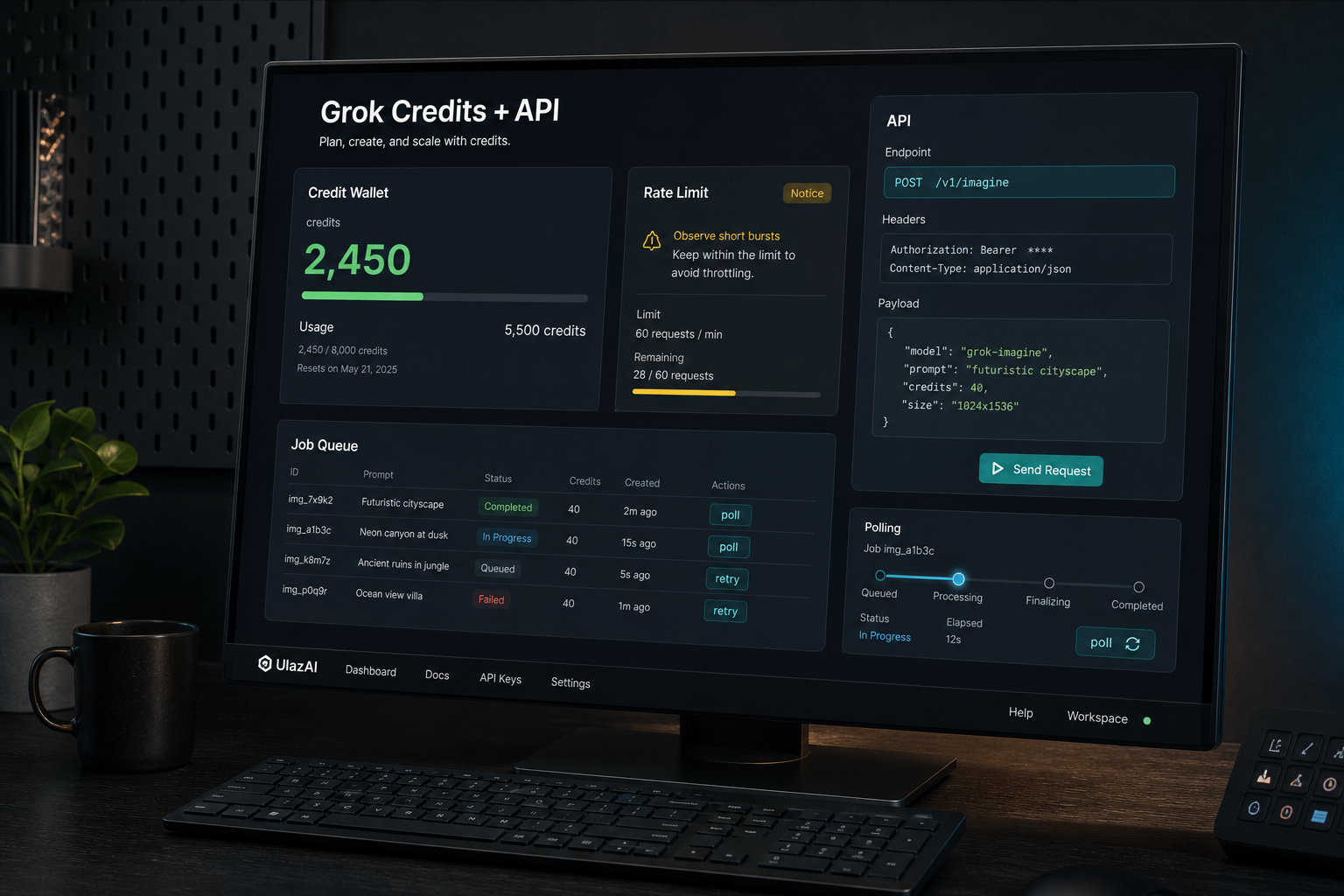
Grok Imagine video is a good API candidate when your product can work with short generated clips, configurable duration, aspect ratio, resolution and async polling. It is the wrong default when you need strict long-scene continuity, exact frame control or very cheap bulk retries.
The short answer
Grok Imagine video is useful when you need API-driven short video generation with predictable request fields: prompt, model, duration, aspect ratio and resolution. It is not the default for every AI-video workflow. Longer narrative continuity, exact character control and very cheap bulk retries still need a model comparison before you expose the route to users.
Current xAI docs list grok-imagine-video with text, image and video modalities. The model page lists output pricing per second, image input charges, video input charges and a requests-per-minute figure. The video generation docs show async polling and request parameters for duration, aspect ratio and resolution.
Grok Imagine video API checks before production
Check these before you put Grok Imagine video behind a public button or batch queue.
| Check | Why it matters | How to handle it |
|---|---|---|
| Input mode | Text, image and video inputs have different product UX and cost behavior. | Decide whether the first UlazAI route exposes text-to-video only, image-assisted video, or video input workflows. |
| Duration | Users will ask for clips the API cannot or should not generate in one call. | Cap UI choices to supported values and show the duration in the credit estimate before submit. |
| Resolution | xAI pricing differs by output resolution, so 720p batches can change margin quickly. | Display the selected resolution beside the model and credit estimate, not after the job starts. |
| Async polling | Video generation is a job workflow, not an instant image response. | Make queued, running, done, failed and expired states visible, with a retry ceiling. |
| Cost per usable clip | Per-second pricing is only the start; retries decide the real cost. | Benchmark usable seconds, failed attempts, rerun count and time-to-result before opening batch automation. |
Pricing needs to be visible before submit
Video pricing compounds by seconds, resolution and retries. A single 720p test may be fine; a batch of variants can get expensive quickly if users discover cost only after generation starts.
- Show the model. Do not hide whether the request uses Grok Imagine video or another route.
- Show duration and resolution. These are cost drivers, not advanced settings.
- Show estimated credits. If the estimate cannot be guaranteed, keep the first release behind narrow presets.
- Set a retry ceiling. Failed retries should not silently turn a cheap test into an expensive job.
FAQ
Is Grok Imagine video best for every API video workflow?
No. It is a strong candidate for short API-driven clips with clear duration, aspect ratio and resolution needs. It is weaker when a workflow needs exact frame-level control or long character continuity.
What pricing should I check before building?
Check output seconds, output resolution, image input charges and video input charges in the current xAI pricing docs, then translate that into UlazAI credits before users submit.
Should this be separate from the Grok Imagine guide?
This page is only the API build checklist. The Grok Imagine guide remains the main owner for credit planning, product routing and broader Grok Imagine intent.
What should I benchmark first?
Run one text prompt, one still-image prompt, one aspect-ratio test and one failure-boundary prompt with text, hands, fast motion or brand-like details.
Sources checked
Official source pages checked on 2026-06-19: xAI grok-imagine-video model page, xAI video generation docs and xAI pricing docs.